Your sound, within reach
A compact menu bar picker with no Dock icon. Choose an available output, refresh the device list, adjust supported volume, and mute or unmute. Star favorites to keep them at the top.
 EVENTIDE LABS

SONA AUDIO · FOR MAC
Speakers at your desk. Headphones when you focus. Sona brings your Mac’s audio controls into one calm, considered space.
Download on the Mac App StoremacOS 14 or later · Current pricing on the App Store
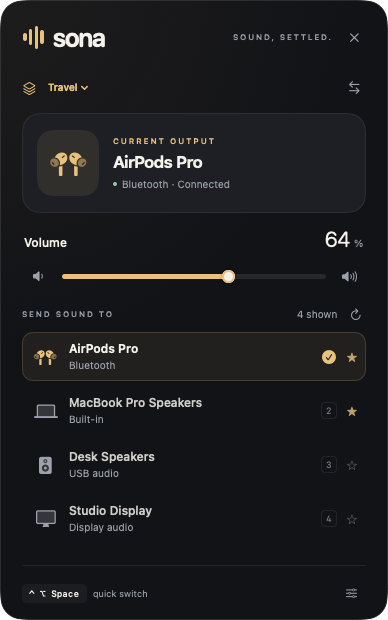
A compact menu bar picker with no Dock icon. Choose an available output, refresh the device list, adjust supported volume, and mute or unmute. Star favorites to keep them at the top.
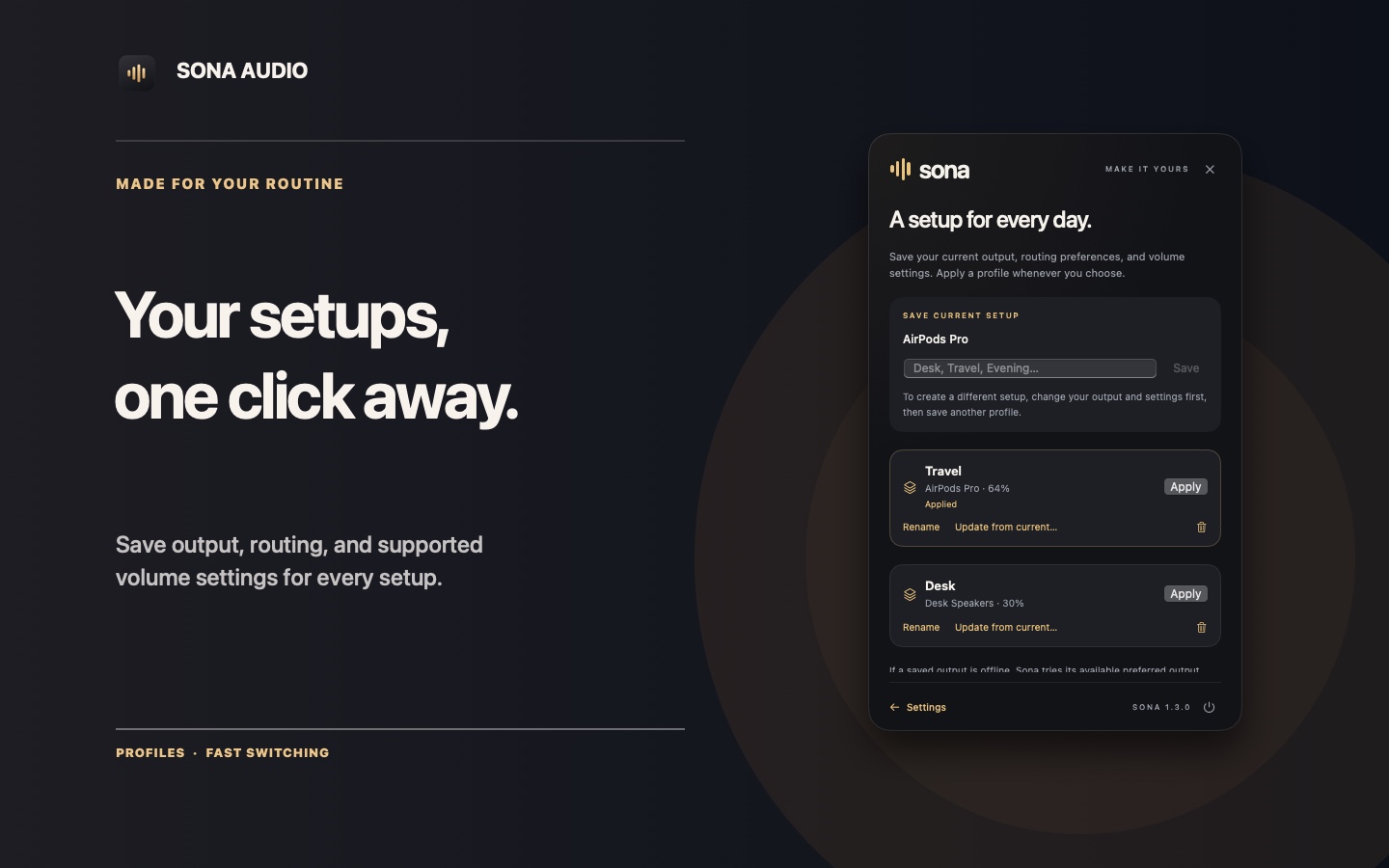
Save named profiles for Desk, Travel or Evening. Each snapshots your output, automatic preference, disconnect fallback and volume settings. Apply manually, rename, update explicitly or delete. Modified settings never silently overwrite a profile.
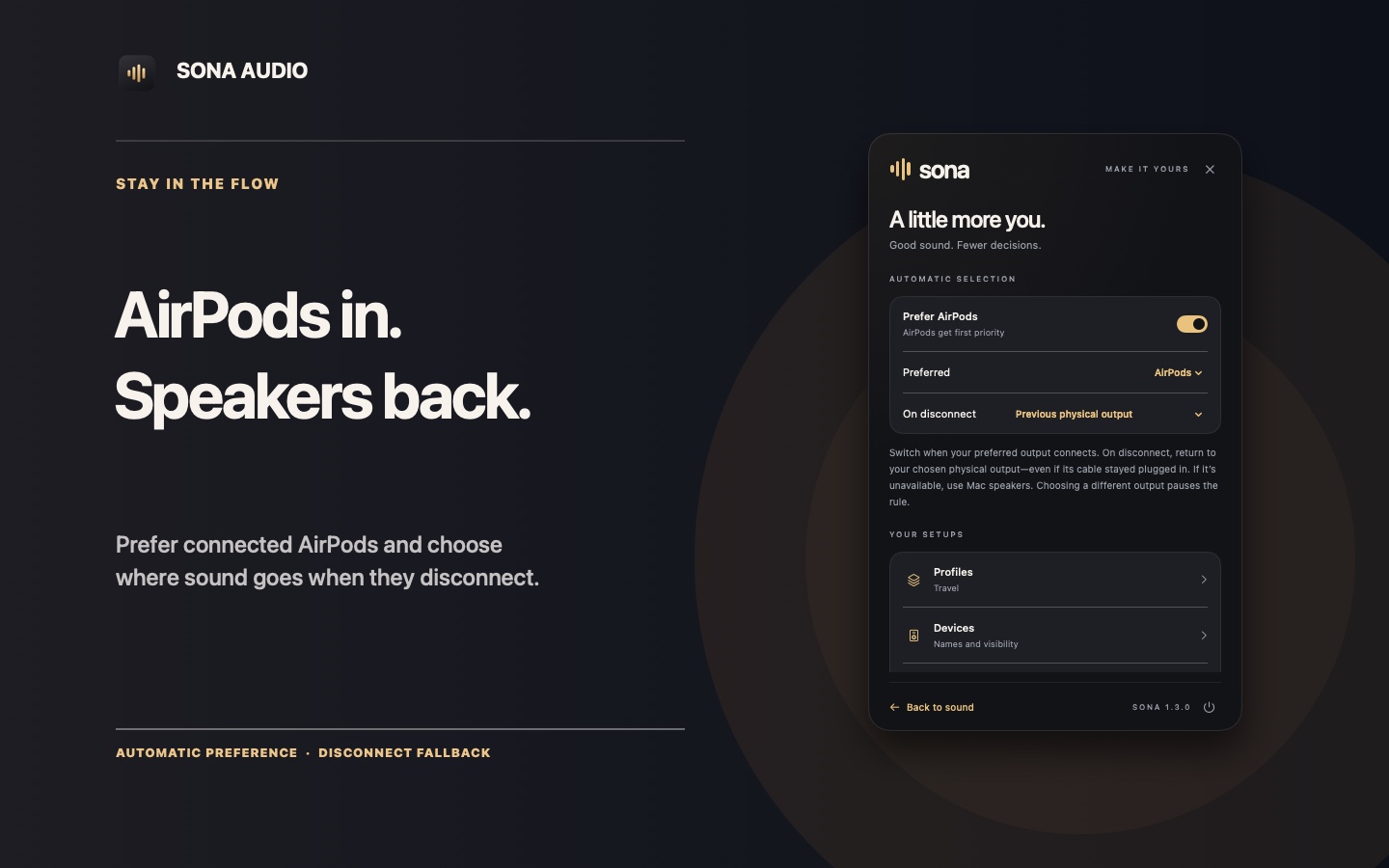
Prefer already-connected AirPods or a specific remembered output. Choose a physical fallback, the previous physical output or Mac speakers for disconnection. A manual choice pauses the rule; resume it in Settings. Sona does not pair AirPods or take them from another device.
Enable per-output volume memory to restore supported physical-device levels when Sona switches. Profiles can restore their saved level too. Muted outputs stay muted. Hardware-controlled outputs are clearly identified; Sona does not bypass their controls.
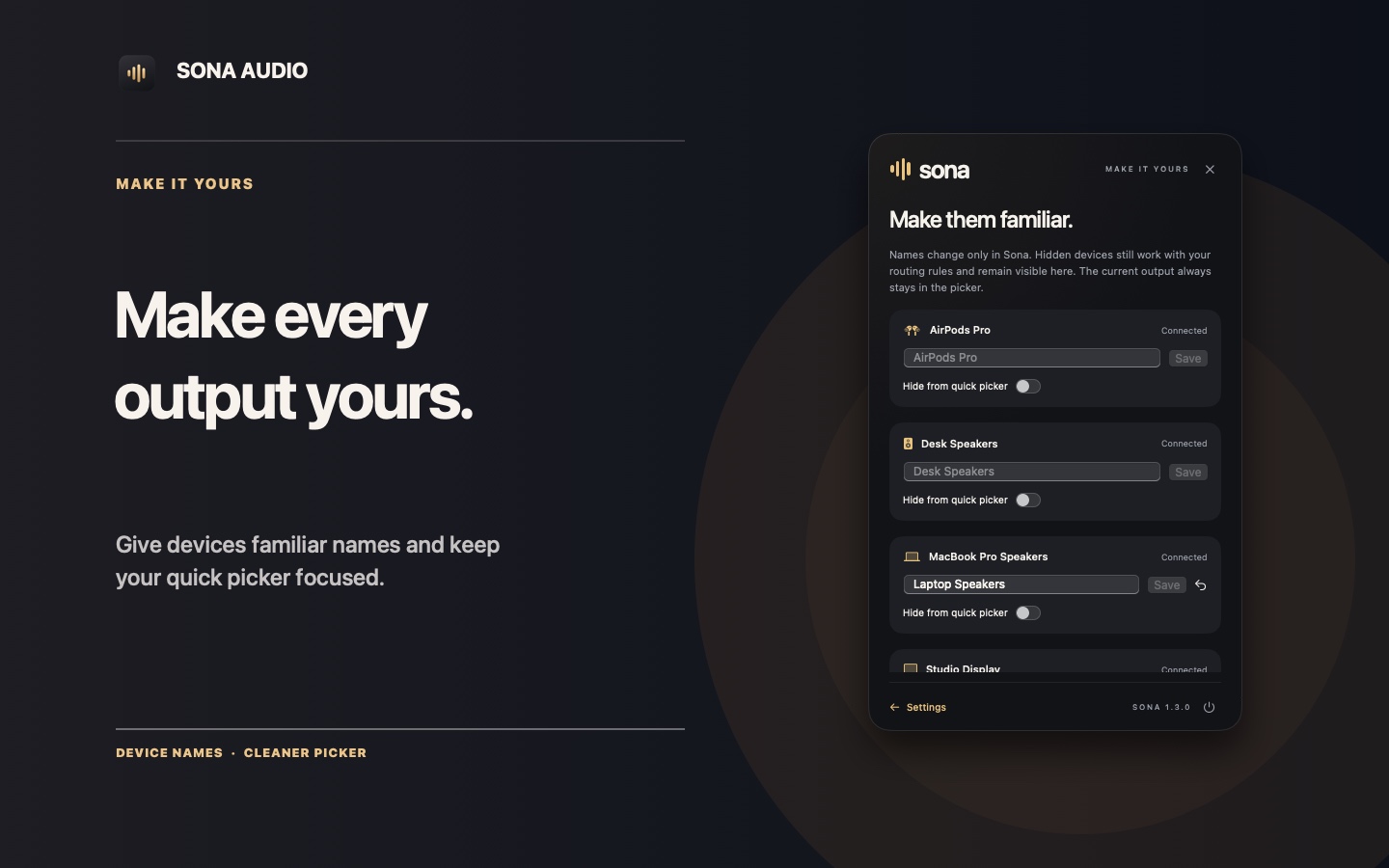
Give devices local display names and hide unused outputs from the picker. Hidden devices remain manageable in Settings and still participate in profiles and routing. The current output remains visible.
Control–Option–Space opens the overlay. Use up/down and Return, or 1–9, to select outputs; left/right adjust volume in 5% steps, M toggles mute, and Escape goes back or dismisses. Control–Option–Backslash swaps your last two outputs. Alternative shortcuts and an off option are available.
Create a named macOS Multi-Output Device from two connected devices, then select the pair again later. Apps using the default output can play on both. Bluetooth may add delay; reconnect both devices before selecting a saved pair. Select an individual output to stop mirroring.
When a matching Boom driver is detected, optional handoff support recognizes its return after a physical-output request. Sona shows the requested destination separately. Boom remains responsible for its downstream route and effects; Sona does not change its settings or install a driver.
Enable Keep Twitch playing and grant the Sona for Twitch Safari extension access to Twitch. After an eligible AirPods disconnect, it makes one attempt to resume the same recently playing stream. Observed manual pauses stay paused; Safari may still block autoplay. Connection status, resume results and content-free diagnostics help with troubleshooting.
Optional launch at login, local preferences, and no account or analytics. Sona does not record audio or request microphone or Accessibility permission. It changes the default output; apps with their own audio routing and separately configured alerts may use another destination.
Some HDMI displays and interfaces control their own volume. AirPods must already be connected, and Safari playback assistance is optional and best effort.
Contact Sona support